GANG WIZARD
GANG WIZARD
Play on html-classic.itch.zone ↗Reduced-graphics browser demo; full campaign is a separate desktop beta. Opens on html-classic.itch.zone in a new tab. Check the setup notes below before starting.
About GANG WIZARD
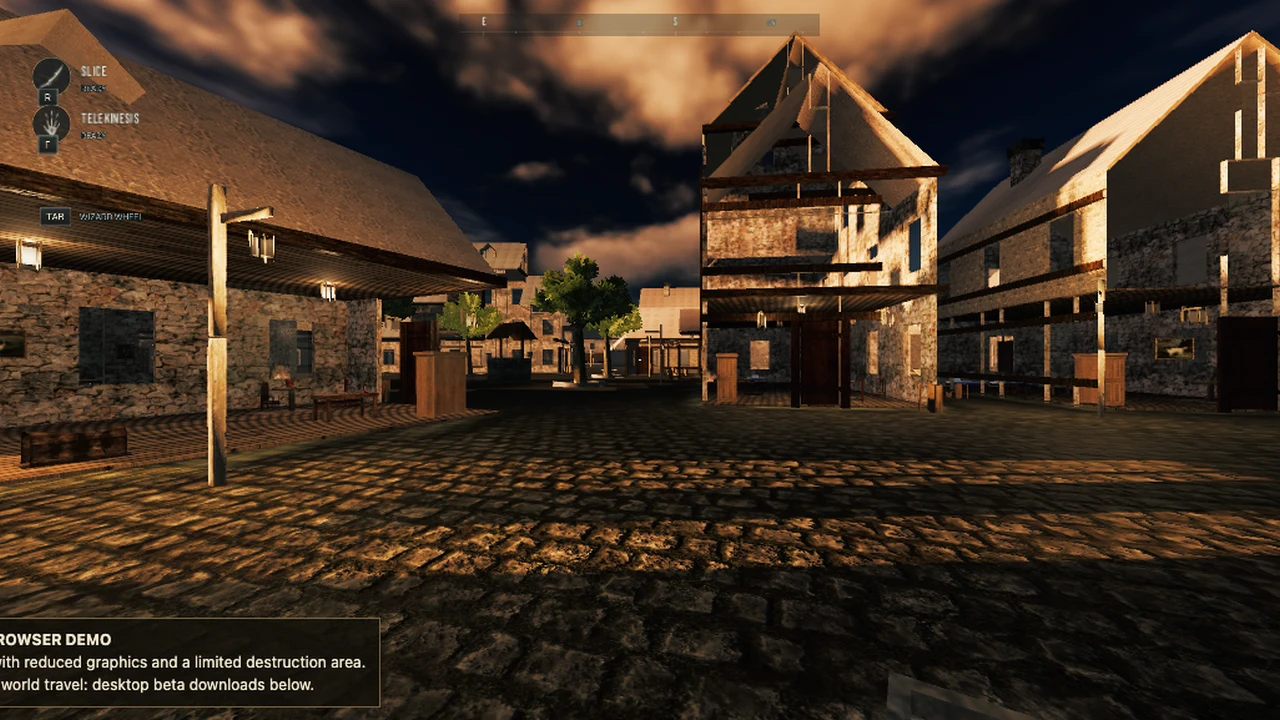
Try the Wizard City browser sandbox: cast spells, experiment with physics and explore the limited demo area.
GANG WIZARD’s browser demo opens a first-person magic sandbox in Wizard City. Use it to try movement, the spell wheel and the interaction between spells and the environment. It is a reduced-graphics build with a limited destruction area. The desktop beta’s campaign and world travel are separate, so a feature shown in a long desktop clip may not be available in this browser build.
Move with WASD and aim with the mouse. Left click casts the equipped spell and holding Tab opens the spell wheel. Select a spell before experimenting, then watch where its effect lands. F is telekinesis, R is Slice and E interacts. Shift sprints and Space jumps. An open space is a better starting point than a crowded corner when you are still learning how the physics responds.
Use Escape to pause and open settings, including the current control guide. The author lists configurable controls and a tutorial, so those in-game prompts should take precedence if a binding changes. The browser package has a substantial first load; wait for its loading indicator rather than starting repeated copies. The demo opens in a new tab for more reliable startup and room for the spell interface.
About the game
SLOP STUDIOS publishes GANG WIZARD in Godot and discloses AI assistance for code, graphics, sound and text. The linked build is the Wizard City browser demo. OttersPlay keeps this listing in the indie category because an AI-assisted disclosure alone does not establish that most code was written by an agent.
Made by SLOP STUDIOS.
How to play
Desktop keyboard and mouse. Allow time for the browser demo’s first download. This is a limited sandbox, not the separate multi-gigabyte desktop beta.
| WASD / mouse | Move / look |
|---|---|
| Left click / hold Tab | Cast equipped spell / spell wheel |
| F / R / E | Telekinesis / Slice / interact |
| Shift / Space | Sprint / jump |
| Esc | Pause and settings; check remappable controls |
Quick facts
- Godot browser demo of Wizard City
- Reduced graphics and limited destruction area
- Author discloses AI-assisted production; desktop beta is separate
Questions about GANG WIZARD
Is the browser demo the complete desktop game?
No. The browser build labels itself a reduced-graphics sandbox with a limited destruction area. Full campaign and world travel belong to the desktop beta and should not be assumed to work here.
How do I choose and cast a spell?
Hold Tab for the spell wheel and use left click to cast the equipped spell. The checked guide also lists F for telekinesis and R for Slice; controls can be configured in settings.
Why does the first load take a while?
The browser build downloads a substantial game package before starting. Keep one copy open and follow its loading indicator. A download completing is not a guarantee that every GPU can run the scene well.
Can I play GANG WIZARD on a phone?
The author specifies a desktop browser with a keyboard and mouse. Dedicated touchscreen controls were not verified, so this demo is not included in OttersPlay’s phone collection.
Tips for GANG WIZARD
- Try movement and a single equipped spell before combining physics effects.
- Read the browser-demo notice before looking for desktop campaign features.
Before you play: Open the browser demo in a new tab for reliable startup. Its full campaign and world travel belong to the separate desktop beta.
Sources: coyne-studios.itch.io, html-classic.itch.zone. Last checked .