Counter-Strike 1.6
Counter-Strike 1.6
Play on x8bitrain.github.io ↗Opens on x8bitrain.github.io in a new tab. Check the setup notes below before starting.
About Counter-Strike 1.6
webXash runs Half-Life and CS 1.6 content in a browser tab.
Play CS 1.6 against bots, Half-Life 1, or mods such as Blue Shift. LAN multiplayer works through self-hosted server containers; the in-game server browser doesn't find internet servers, so you enter an IP.
About the game
webXash is a front end for a WebAssembly build of Xash3D FWGS, the open-source Half-Life-compatible engine. It runs Half-Life 1, Counter-Strike 1.6 and compatible mods from files you supply.
Made by x8BitRain (front end); engine port by yohimik.
How to get Counter-Strike 1.6 running
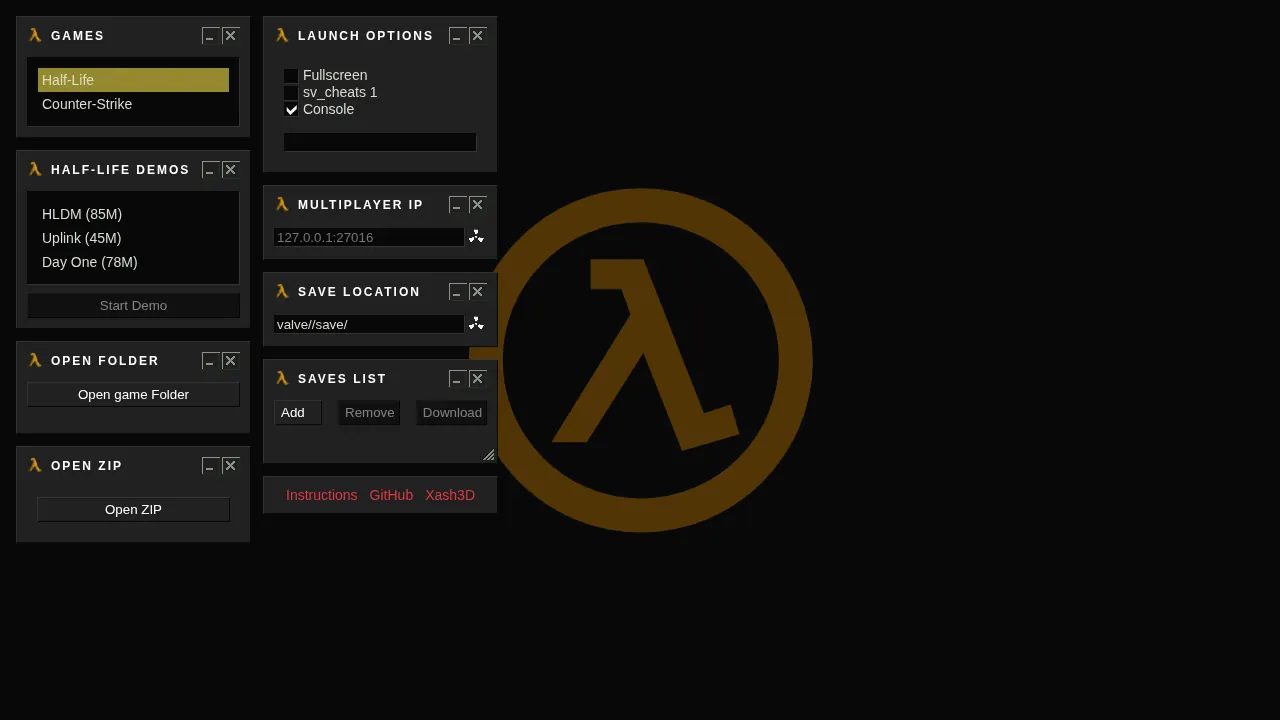
- You need your own game files from Steam: the valve folder, plus cstrike for Counter-Strike.
- Click 'Open game folder' and select the folder that contains them, or zip it and use 'open zip'.
- webXash only reads your files and never writes to them.
How to play
Keyboard and mouse. Phones are not supported.
| Keyboard + mouse | Required |
|---|---|
| Ctrl+W | Closes the tab in most browsers: play full screen |
Questions about Counter-Strike 1.6
Do I need to own Counter-Strike 1.6?
Yes: you need your own game files from Steam, the valve folder plus cstrike for Counter-Strike. Click 'Open game folder' and select the folder that contains them, or zip it and use 'open zip'. webXash only reads your files and never writes to them.
Can I play multiplayer?
You can play against bots, and LAN multiplayer works through self-hosted server containers. The in-game server browser doesn't find internet servers, so you enter an IP manually.
What else runs on it?
Half-Life 1 and mods such as Blue Shift also load in the same engine.
Why shouldn't I use Ctrl+W?
Ctrl+W closes the browser tab in most browsers: play full screen or you will lose your match mid-round.
Tips for Counter-Strike 1.6
- If the folder picker fails, zip the valve and cstrike folders and use 'open zip' instead.
- Phones are not supported; this is keyboard and mouse territory.
An independent browser port of a classic game, not an AI original. OttersPlay does not host game files and is not affiliated with the original publisher. Some projects require files from your own copy.
Sources: github.com, github.com. Last checked .