Red Alert 2: Chrono Divide
Red Alert 2: Chrono Divide
Play on game.chronodivide.com ↗Opens on game.chronodivide.com in a new tab. Check the setup notes below before starting.
About Red Alert 2: Chrono Divide
A rebuilt Red Alert 2 engine for the browser, with online multiplayer. You load your own copy of the game files.
Multiplayer works fully, with all original maps, a ranked ladder, replays and mod support. The single-player campaigns are still in development. You can choose classic left-click or modern right-click controls.
About the game
Chrono Divide is not an emulator. It is a ground-up rebuild of the Red Alert 2 engine in web technologies, started as an experiment to prove a cross-platform RTS could run in a browser. Its stated goal is feature parity with vanilla RA2. EA never open-sourced RA2, so this is an independent implementation.
Made by Chrono Divide (fan project).
How to get Red Alert 2: Chrono Divide running
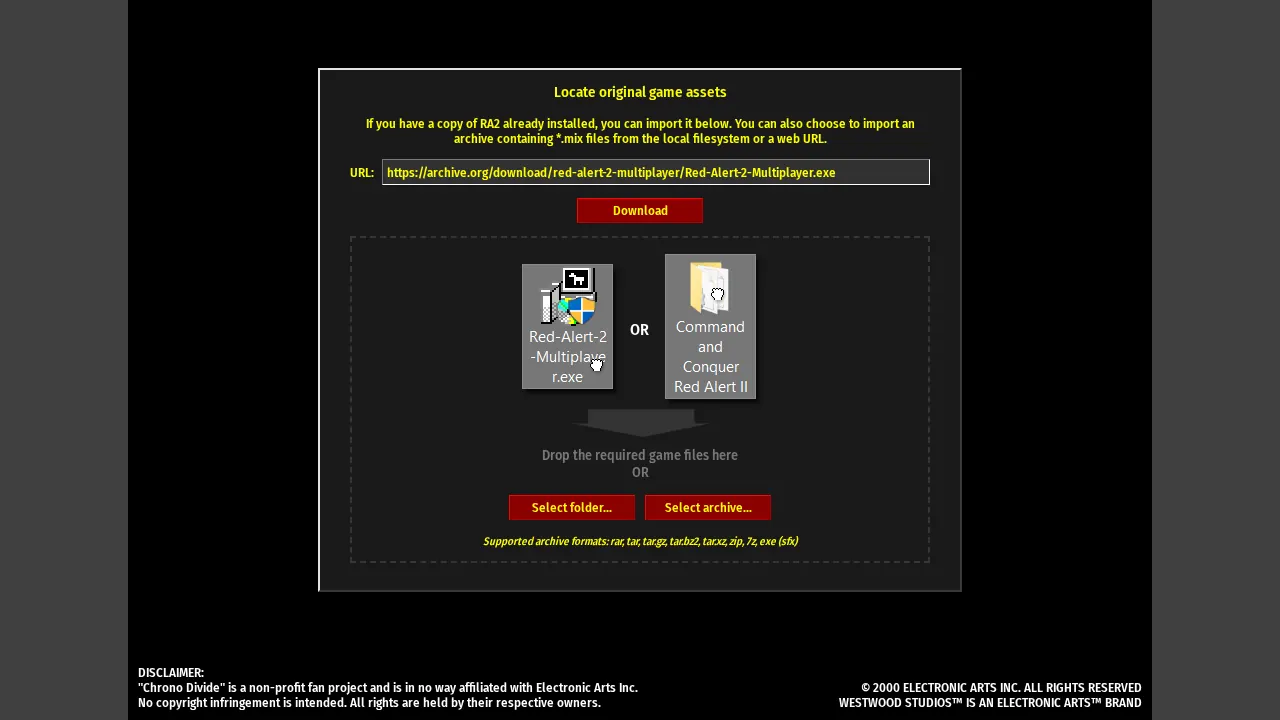
- Open the game and press Play. It asks for original Red Alert 2 files.
- If you own RA2, point it at your install folder. If you don't, the Chrono Divide site links to a free multiplayer-only archive on the Internet Archive that you can select instead.
- The files are copied into your browser's private storage, so you only do this once.
How to play
Latest Chrome, Edge or Safari; the site says to avoid Firefox for performance. 64-bit browser, 4 GB RAM minimum (8 GB recommended). Phones and tablets work.
Quick facts
- Beta, client v0.84
- No port forwarding: it uses a client-server model
- Covered by heise and GIGAZINE
- Non-profit fan project, not affiliated with EA
Questions about Red Alert 2: Chrono Divide
Is Chrono Divide an emulator?
No. It is a ground-up rebuild of the Red Alert 2 engine in web technologies. Multiplayer works fully, with all original maps, a ranked ladder, replays and mod support; the single-player campaigns are still in development.
How do I get the game files?
Open the game and press Play; it asks for original Red Alert 2 files. If you own RA2, point it at your install folder; if you don't, the Chrono Divide site links to a free multiplayer-only archive on the Internet Archive that you can select instead. The files are copied into your browser's private storage, so you only do this once.
Which controls can I use?
You can choose classic left-click or modern right-click controls.
What are the system requirements?
Latest Chrome, Edge or Safari (the site says to avoid Firefox for performance), a 64-bit browser and 4 GB RAM minimum, 8 GB recommended. Phones and tablets work.
Tips for Red Alert 2: Chrono Divide
- New to classic C&C? Start with the modern right-click controls; the classic scheme assumes 2000-era muscle memory.
- It is a non-profit fan project, not affiliated with EA, in beta at client v0.84: expect rough edges and report bugs.
An independent browser port of a classic game, not an AI original. OttersPlay does not host game files and is not affiliated with the original publisher. Some projects require files from your own copy.
Sources: chronodivide.com, heise.de. Last checked .