BLACKWATER: Silent Harbor

Loading BLACKWATER: Silent Harbor...
Connecting to blackwater-roan.vercel.app
About BLACKWATER: Silent Harbor
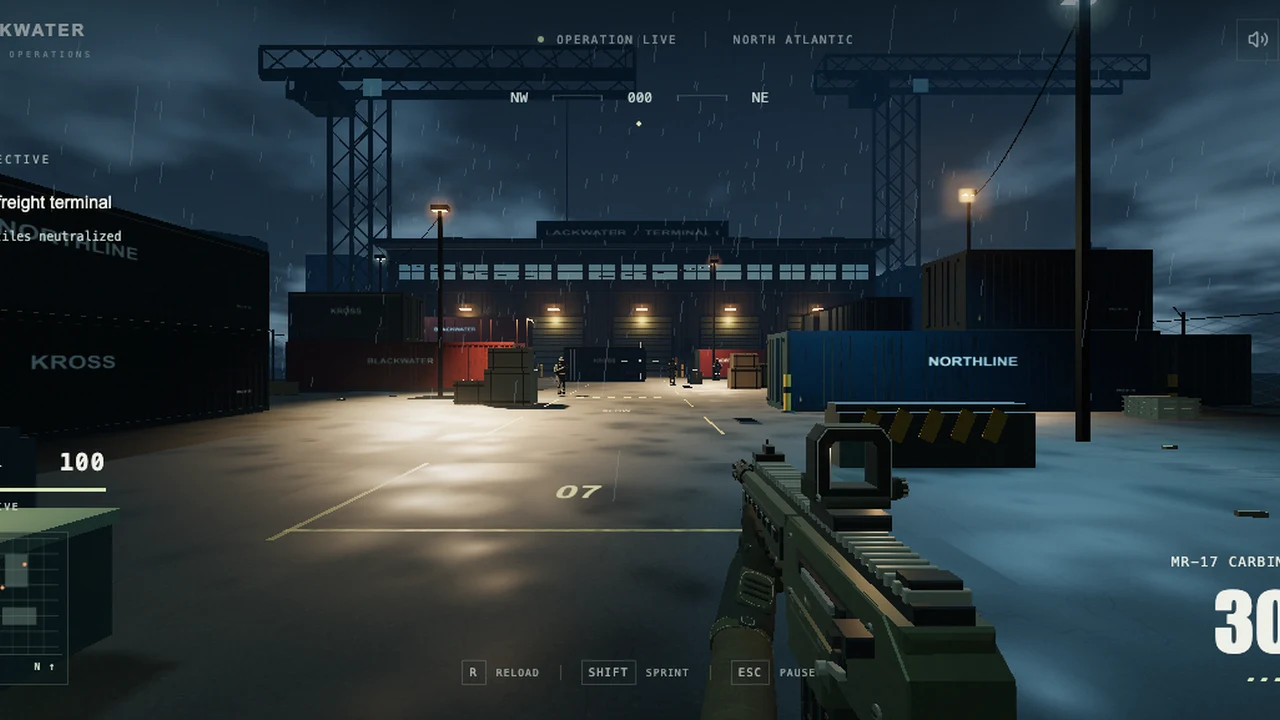
Clear nine hostiles from a rainy freight terminal, manage ammunition and reach the amber extraction beacon.
Silent Harbor is a single-player BLACKWATER operation set in a rainy freight terminal. Enter the container yard, clear nine hostile soldiers and reach the amber extraction point after the area is secure. Containers, warehouse geometry and low light make cover and sight lines central to a short mission. The dark harbor suits an atmospheric Halloween session, but the game is a tactical shooter rather than a supernatural horror story.
Move with WASD, look with the mouse and fire with the left button. Right mouse or Q aims, Shift sprints, Space jumps and R reloads. Use cover to break an enemy’s line of sight and recover health before moving to the next angle. Watch ammunition while repositioning; E resupplies at the insertion crate instead of making every part of the yard an unlimited ammunition source.
Track the remaining threats before heading to extraction. The amber beacon is the final step after clearing the objective, not a shortcut around the firefight. The pause and display controls let you adjust the presentation, and the mission can be retried after completion or death. Play with a desktop keyboard and mouse: no dedicated touchscreen aiming interface was verified. The browser version is a standalone operation, not a multiplayer service or a port of another shooter.
How BLACKWATER: Silent Harbor was made with AI
The creator presents BLACKWATER as a GPT-6 Astra-built browser FPS. The source repository describes an original terminal-combat project with procedural geometry and synthesized sound. It is not an official Call of Duty title, regardless of comparisons used in its announcement.
Made by hiraeth (@WoahWurdz).
How to play
Desktop keyboard and mouse with hardware-accelerated WebGL. Use fullscreen for aiming space. No dedicated mobile aiming controls were verified.
| WASD / arrows; mouse | Move; look |
|---|---|
| Left mouse / right mouse or Q | Fire / aim |
| Shift / Space | Sprint / jump |
| R / E | Reload / resupply at the insertion crate |
| Esc | Pause and release the mouse |
Quick facts
- Single-player freight-terminal mission
- Nine hostiles followed by amber-beacon extraction
- Cover recovery, ammunition management and mission retries
Questions about BLACKWATER: Silent Harbor
What is the objective in Silent Harbor?
Clear the terminal’s nine hostile soldiers, then reach the amber extraction beacon. The mission requires the hostile count to be cleared before extraction completes.
How do I recover and resupply?
Break line of sight and use cover to recover health. Reload with R and use E at the insertion crate to replenish ammunition. Plan a safe route back rather than exhausting every magazine far away.
Is BLACKWATER a horror game or an official Call of Duty port?
Neither. It is an independent tactical FPS with a dark, rainy harbor setting. OttersPlay includes it in the seasonal collection for atmosphere, not for monsters or an official franchise connection.
Can I play on mobile or with other people?
The checked operation is single-player and designed for a desktop keyboard and mouse. Dedicated phone controls and a live multiplayer mode were not verified.
Tips for BLACKWATER: Silent Harbor
- Use cover between engagements instead of sprinting through every sight line.
- Check ammunition and the remaining-hostile display before pushing toward extraction.
Sources: blackwater-roan.vercel.app, github.com, github.com, x.com. Last checked .