
The Duke's Lawn
About The Duke's Lawn
Drive a ride-on mower around Wexcombe Park, toggle the blades and share the estate lawn with other players.
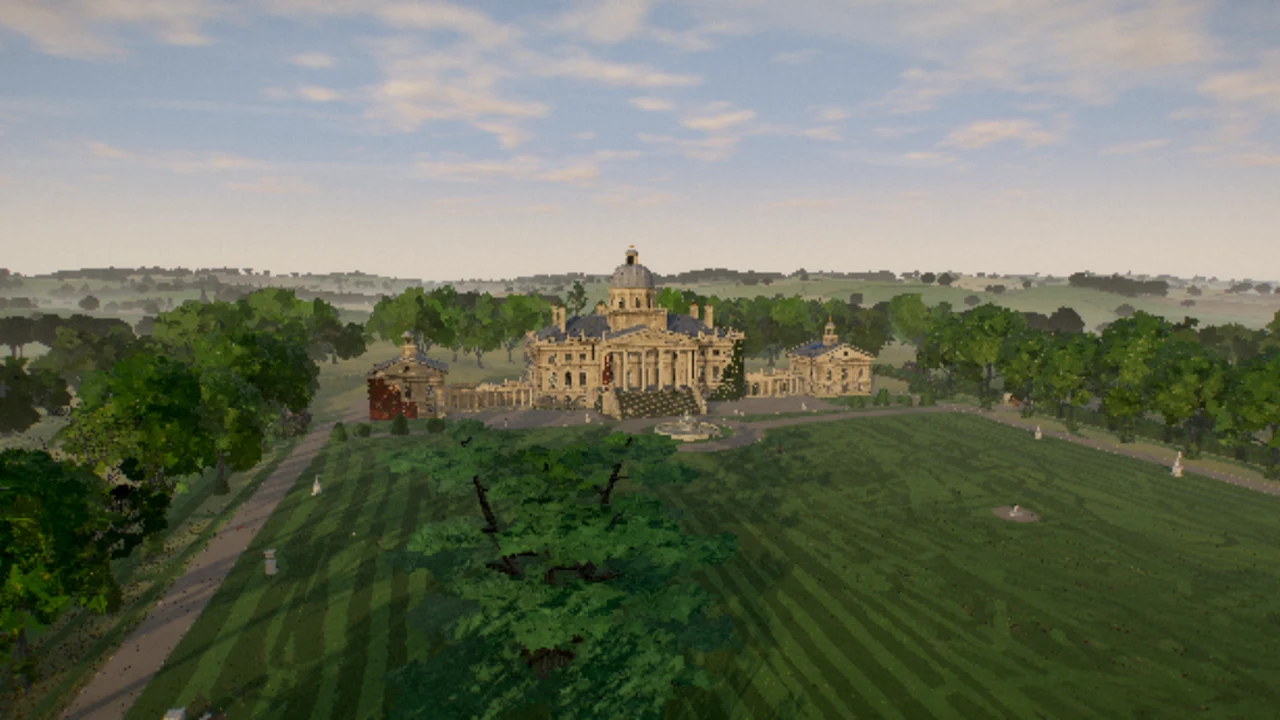
The Duke’s Lawn takes place at Wexcombe Park, an overgrown country estate in late summer. Choose a display name and tractor paint, then take the seat. Your job is deliberately simple: drive the ride-on mower over grass with its blades engaged. The grounds, house and long stretches of lawn make this a slow exploration and mowing game rather than a timed racing event.
Use W and S to drive or reverse, A and D to steer, and Space to switch the blades on or off. Begin with straight parallel passes, leaving a little overlap so narrow strips are not missed. Shift opens the throttle, but slowing down near trees and scenery makes steering easier. The estate plan on Tab helps you find another area when nearby grass is already cut.
The lawn is shared with other players, so its condition and the number of people outside may differ from one visit to the next. C changes the camera, mouse movement looks around and T sounds the horn. Optional Q and E animations take a drink or puff a cigar. They add character to the scene, while the mower controls remain the core activity. Use a desktop keyboard for this version; the checked interface did not provide dedicated touch driving buttons.
How The Duke's Lawn was made with AI
Max Blade presents The Duke’s Lawn as a multiplayer lawn-mowing simulator built with Claude Opus 5.5. It runs on CNVS and uses Three.js. The beer and cigar actions are part of the estate role-play, not required steps for cutting the grass.
Made by Max Blade.
How to play
A desktop keyboard, mouse and hardware-accelerated WebGL browser. Shared estate activity requires the external game server.
| W / S; A / D | Drive or reverse; steer |
|---|---|
| Space | Toggle mower blades |
| Shift | Open the throttle |
| C / mouse | Change camera / look around |
| Tab / T / M | Estate plan / horn / mute |
| Q / E | Optional beer / cigar animations |
Quick facts
- Shared estate lawn and player presence
- Selectable tractor paint
- Desktop mowing controls, estate plan and cameras
Questions about The Duke's Lawn
How do I start cutting grass?
Take the seat after choosing a name and paint. Press Space to enable the blades, then drive over grass with W/S and A/D. Moving with the blades off will not perform the same mowing action.
Why is most of the lawn already cut?
This is a shared multiplayer estate. Other players can affect the condition you see. Open the estate plan and look for another patch rather than assuming each visit begins with a fresh private lawn.
Can I play with friends?
The live game supports multiple players on the estate. Actual player presence depends on the server and who is connected; this guide does not promise a private invitation or matchmaking feature.
Is this suitable for a phone?
The checked interface relies on a keyboard and mouse. It also contains optional beer and cigar animations, which may matter when choosing a game for younger players.
Tips for The Duke's Lawn
- Check the blade state before making a long pass.
- Use Tab to orient yourself and C if the current camera hides your cutting line.